Features.

SessionCodex recognizes sessions from 17 DAWs — Pro Tools, Ableton Live, Logic Pro, Reaper, and more — groups them into projects, and gives you one library to search, browse, and audition. Every screen below is the real app.

01 · Dashboard

Open to a full readout.

Session and project counts, storage across every drive, and the sessions you touched last — with a health check that flags anything that's moved out from under the catalog.
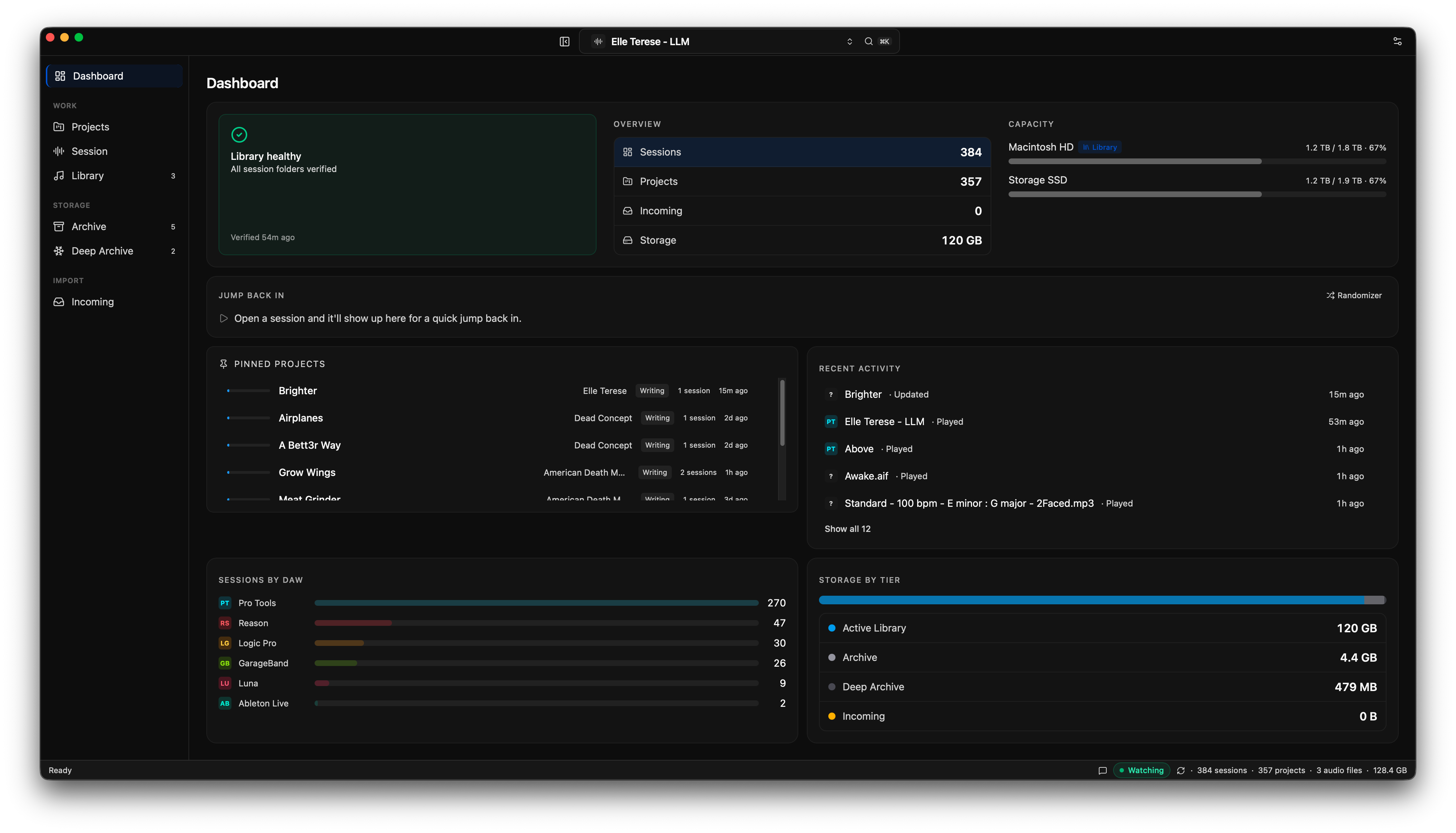
The dashboard: a 'Library healthy' card reading 'All session folders verified', counts for sessions, projects, incoming and storage, drive-capacity meters, a per-DAW session breakdown, a storage-by-tier panel, pinned projects, and a recent-activity feed.

02 · Projects

Your catalog, as a tree.

Artist, album, project — nested the way you think about the work, each with its phase, star rating, and session count.
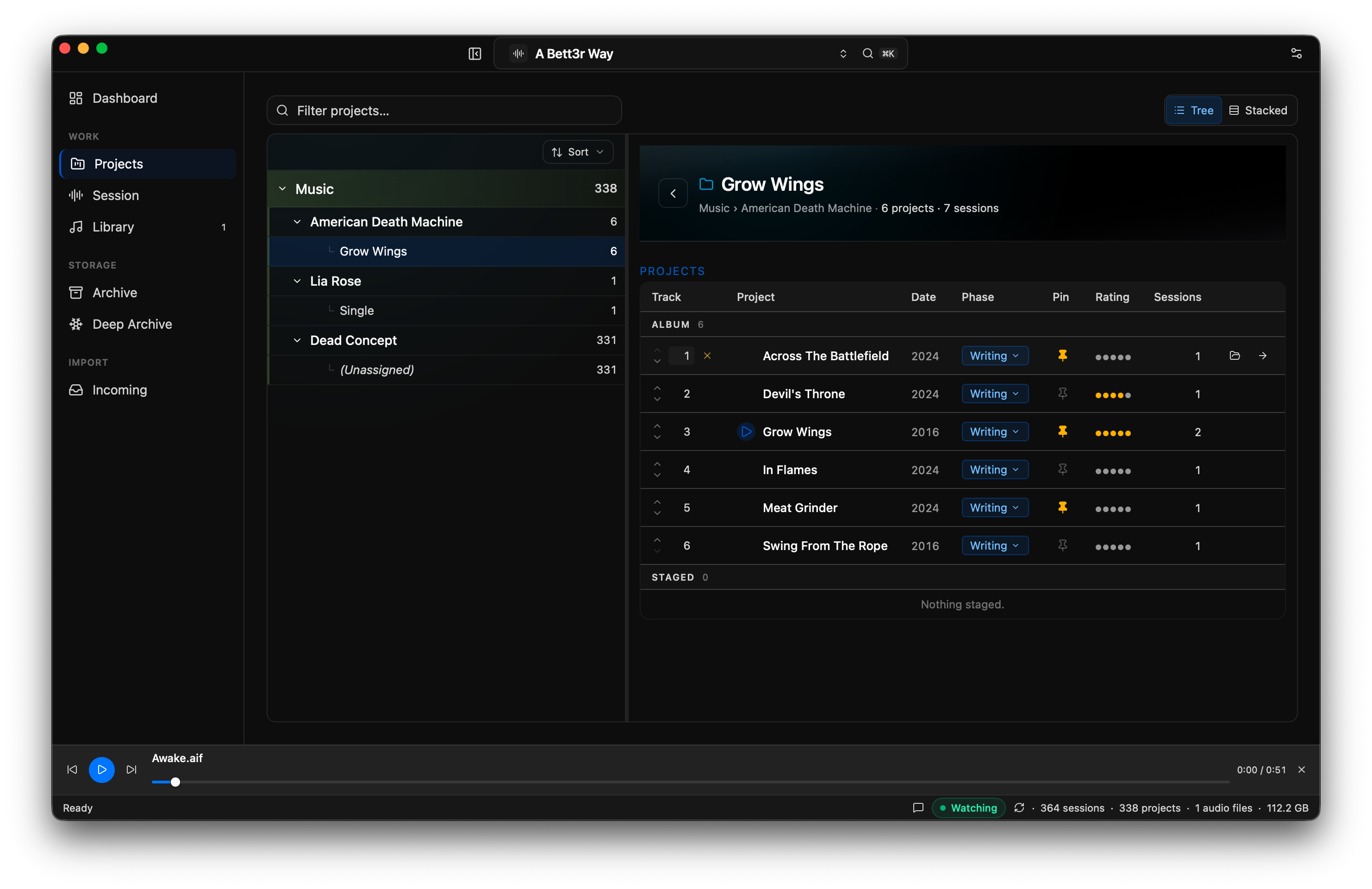
The Projects view: a left-hand tree of artists and albums, and a right-hand table of projects under 'Grow Wings' showing track number, project name, year, a 'Writing' phase tag, pin, star rating, and session count.

03 · Library

Your music, by artist and release.

Curate your library, with cover art — browse by artist and album, and hit play.
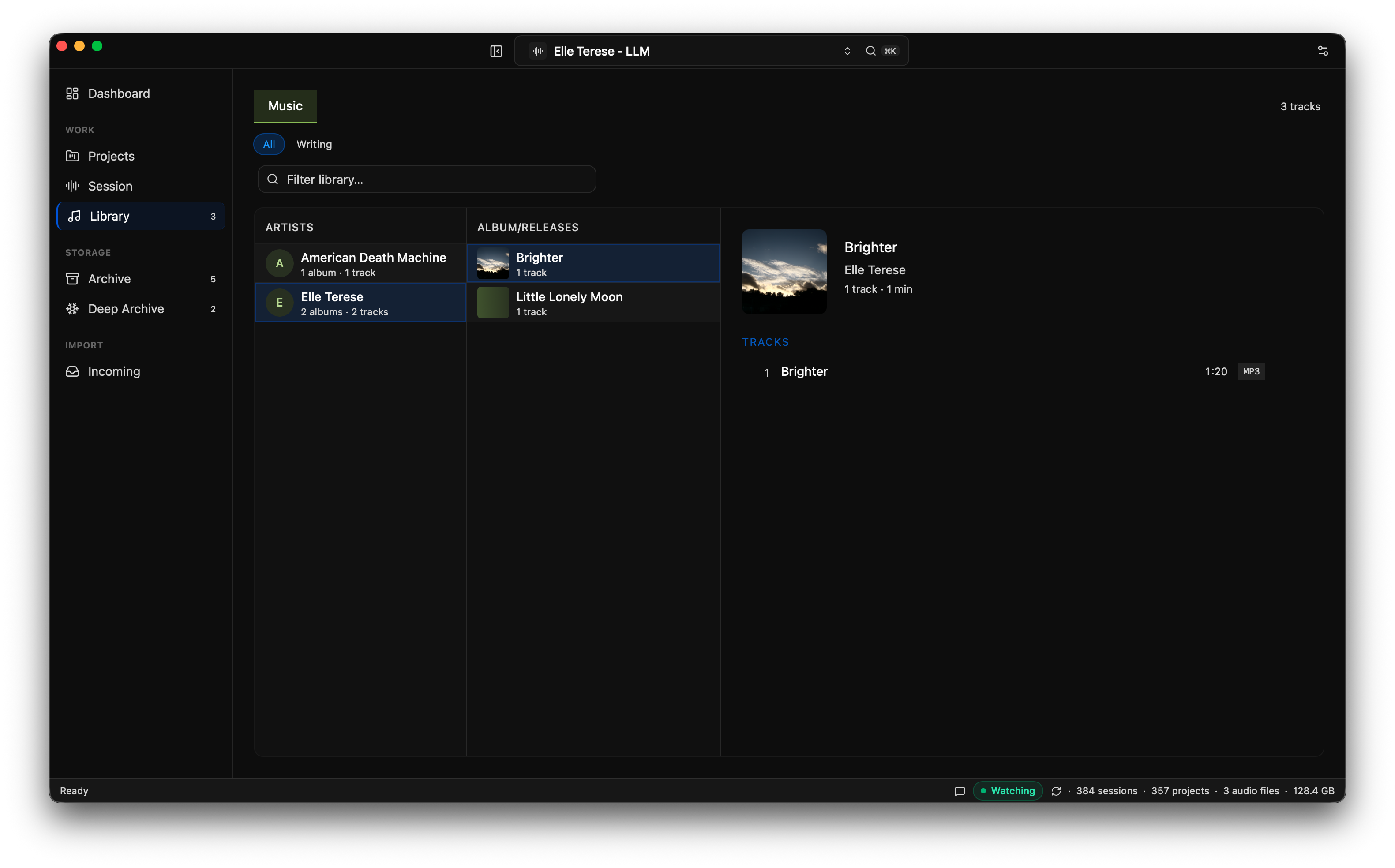
The Library view: an Artists column (American Death Machine, Elle Terese), an Album/Releases column with cover art (Brighter, Little Lonely Moon), and a track list showing 'Brighter' as a 1:20 MP3 with album artwork.

04 · Sessions

Look inside without opening the DAW.

Every session's contents in a column browser — bounces, audio files, backups, the session file itself — and you can audition any take right there.
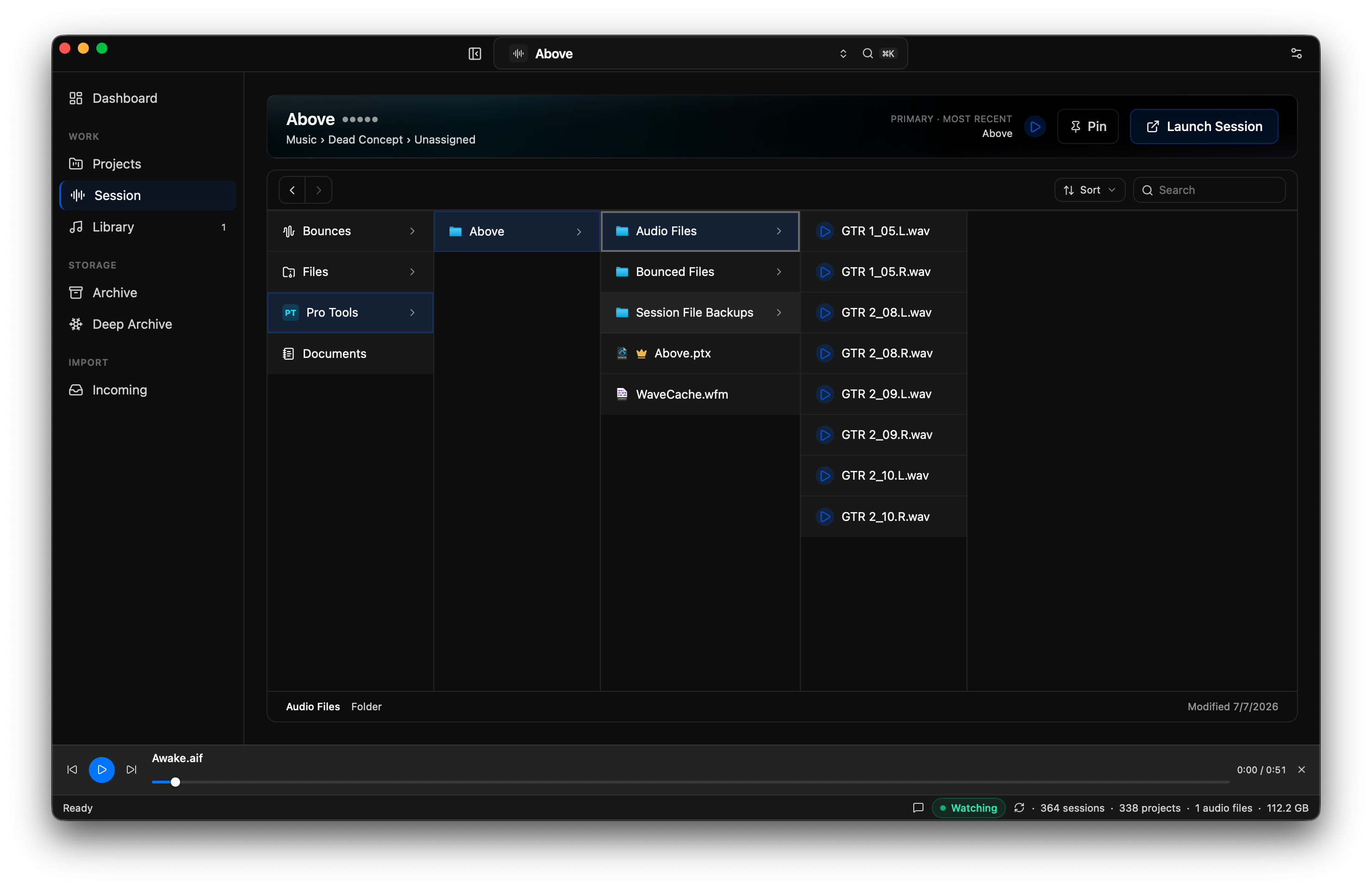
A single session opened in a column browser: folders for Bounces, Files, Pro Tools and Documents drill down to Audio Files, Bounced Files and Session File Backups, then to individual .wav takes, each with a play button.

05 · Incoming

Catch new sessions as they land.

Point it at a drive and it surfaces every session that isn't in your library yet — ready to add to the right project.
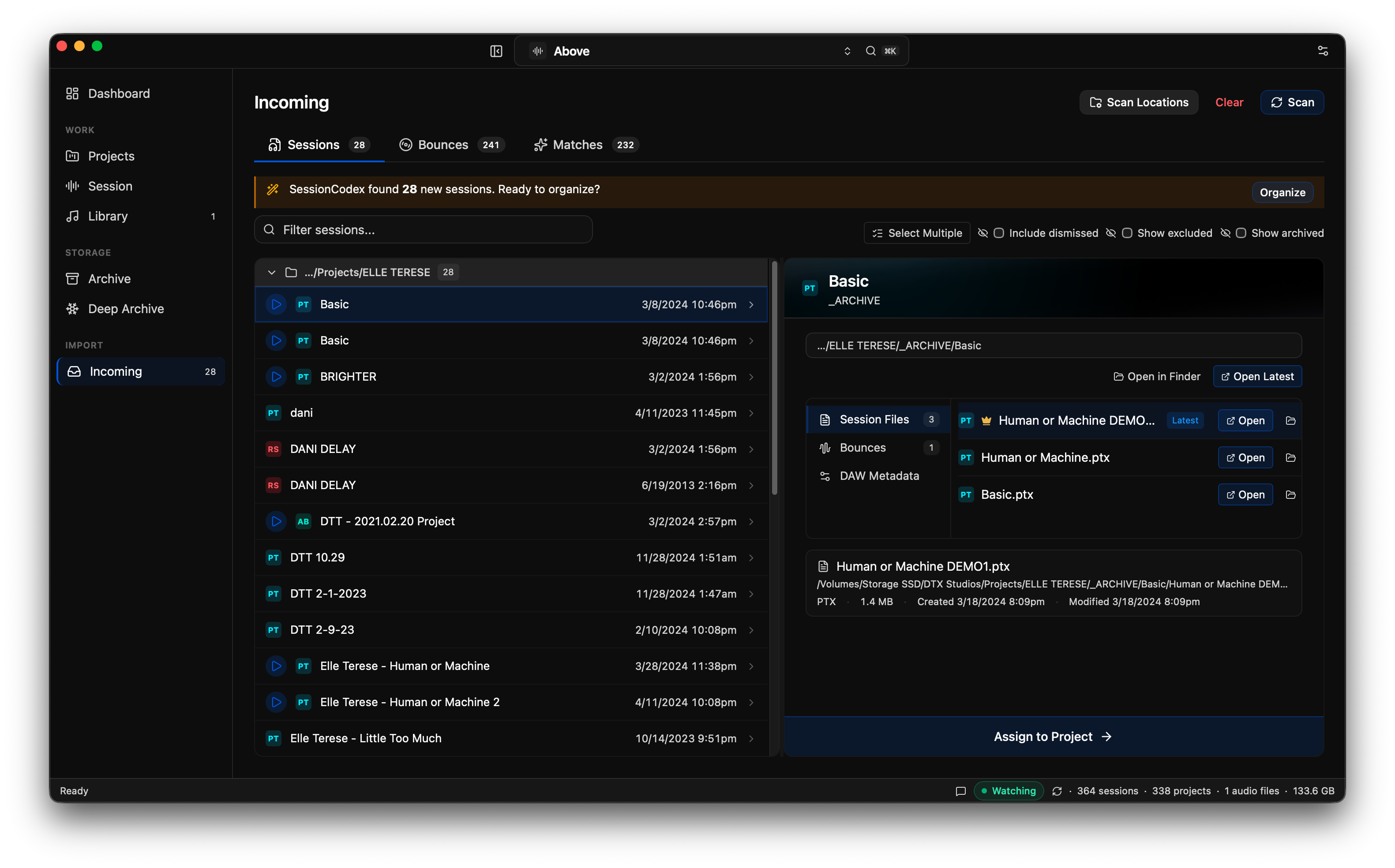
The Incoming view after a scan: a banner reads 'SessionCodex found 28 new sessions. Ready to organize?', a list of newly found sessions with DAW badges and dates, and a detail panel with an 'Assign to Project' button.

06 · Matches

Loose bounces, back with their projects.

Stray mixdowns matched to a project by song name, sorted by confidence — review the strong ones and accept in a click.
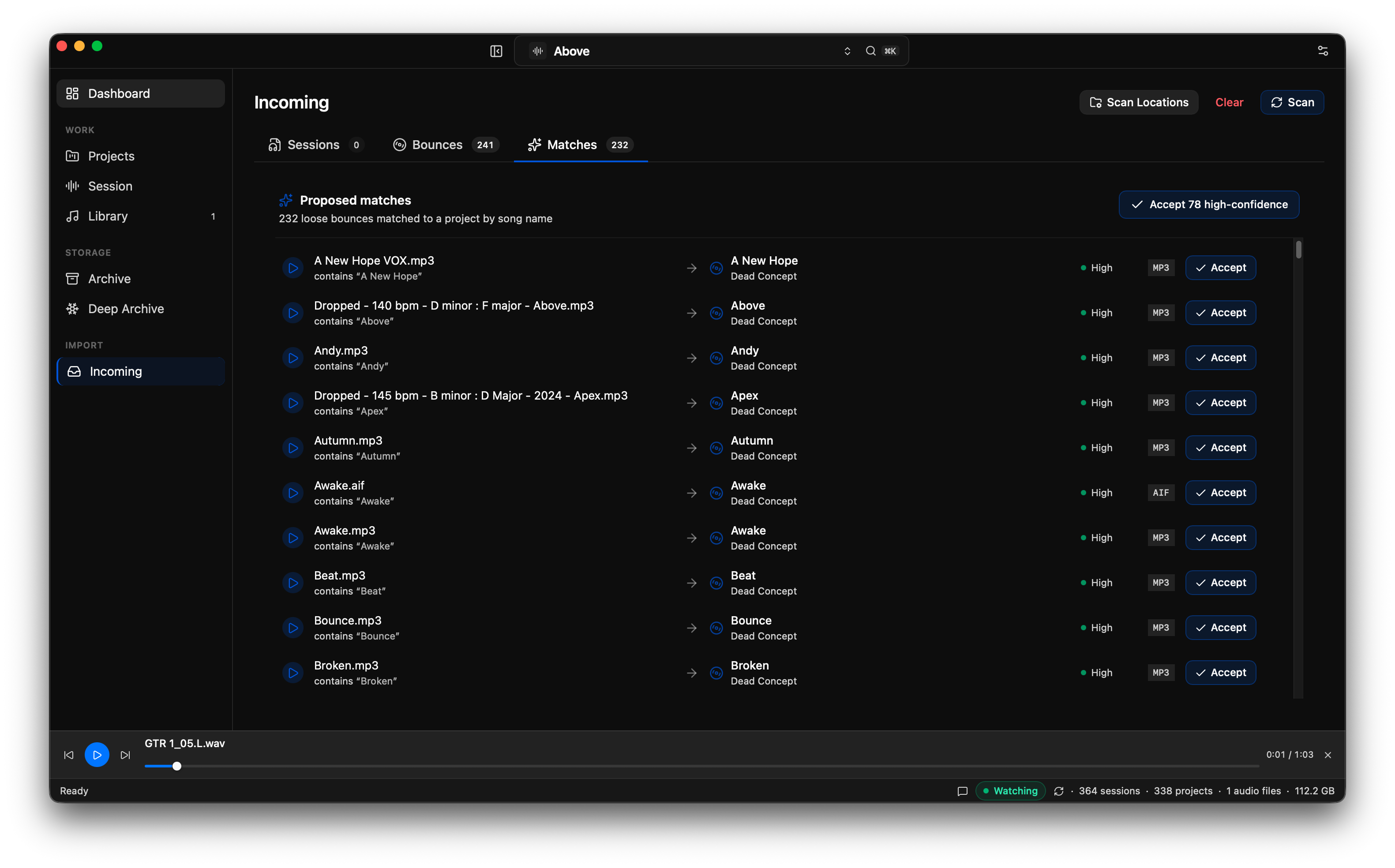
The Matches view: '232 loose bounces matched to a project by song name', a list pairing each bounce file to a project with a 'High' confidence tag and an Accept button, and a header button to accept 78 high-confidence matches at once.

What cross-DAW means — and doesn't.

The catalog is unified, not the sessions. A Logic Pro project doesn't become a Pro Tools project. SessionCodex catalogs what's already on your drives — it recognizes your sessions, groups them into projects, and helps you find them. It doesn't move your files, rename anything, or convert between formats.

Find any session.